Posts

Showing posts with the label Business Process Flow

Azure Service Bus : A Reliable Messenger for Microsoft Dataverse

Image
Data is essential to the business world, but data communication is equally important, as accurate data conveys important information about the business process and those data can be useful and effective, even giving it an advantage in business competitiveness. That's why business believes in data communication with accuracy. The communication between a computer and a software application is called Messaging . Messaging is a method of communication between software components or applications. Although there are many types of communication support by Microsoft Dataverse, event driven is important. In the previous article ( Webhook: A Unidirectional Business Event ), I talked about webhook, which communicate on an event basis. In the article, I am going to describe about Azure Service Bus. Microsoft Azure Service Bus is a cloud based Messaging as a Service  (MaaS) platform. When I started learning about Azure Service Bus, the first question that came to my mind. What is the use of thi...


WebHook : An Unidirectional Business Event

Image
API considers an excellent and efficient way to create communication between homogeneous, heterogeneous or legacy systems. It runs over HTTP, so it performs fast and smoothly, but in communication services , a new mechanism is introduced known as Webhooks. Generally Webhooks notify receivers about events by making requests to receiver endpoints. WebHook is a lightweight HTTP pattern for connecting Web APIs and services with a Publish/Subscribe model. Generally, WebHooks are called reverse API, but that doesn't mean it works in reverse mode. This means that the sender does not need to have the request initiated at the sending end. WebHooks are a way for one app to have real-time information for other apps. Comparison between API and WebHooks: Webhooks is a lightweight HTTP pattern for connecting Web APIs and services with a publish/subscribe model.  WebHook is a lightweight HTTP pattern for connecting Web APIs and services with a publish/subscribe model. It involves only one way com...

Microsoft Dataverse : A Complete Storage

Image
Database generally refers to organized and structural databases that improve data storage and access performance, but E. F. Cod was given a new concept called relational database in 1970s. In the continuous journey of databases, object oriented, NoSQL, graphs and other new database concepts are added. Nowadays, Microsoft Dataverse defines a new definition of database that lets users design their own data model without writing single code. Microsoft Dataverse is cloud based managed service which provides  data service and app platform. Microsoft Dataverse is a combination of several Azure services, being exposed through the API layer which makes it easy to request data, but also allows it to be managed through the API layer. It is easy to manage and secure data with rich metadata, logic and validation layer with multiple productivity tools. All components  created in Dataverse are held as Metadata. This means the components are discoverable and the properties for components are...

Dataverse Search: A Magical Data Compass

Image
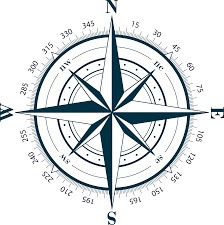
With 2021 release wave 2, Dataverse Search uses as global search option for all users in the model-driven Apps in the production environment on any device which is previously known as Relevance Search. During the exploration about this feature, I feel that this feature works like Windrose. It sounds differently but Yes, it works like That The Compass who guides the Captain Jack Sparrow. Windrose doesn't point to North, It points to the thing you want most in this world. Dataverse Search is your way to search through your data in the Dataverse environment. It is always challenging to develop a search feature that helps smoothly, consistently and rapidly. Application developers focus on developing a search feature that is generally designated into three distinct categories: 1. transactional, 2. navigational, and 3. informational. In my view, Dataverse Search comes under all three categories. Dataverse Search provides fast and comprehensive search results in a single list sorted by re...

15 Facts of Custom Process Action

Image
Spending quality time with Custom Process Actions (which is shared in the Demystify of  Demystify of Custom Process Action articl e), it is given an insight about the action and it's a really awesome feature that I usually miss during solution design. Custom Process Actions are the declarative way to design a solution with many different behavior business logic (JavaScript, workflow, and custom code).  It allows creating custom messages that extend the capabilities of defining new domain specific functionality to combine multiple message requests into a single request. I am going to share few facts about Custom Process Action or Custom Action which will be helpful to design a CRM Solution. It allows for creating new message that can be called from web service. Custom Process Action will continue to provide a no code way to declaratively define synchronous business logic. Custom Process Actions have been synchronous real time workflow and therefore not suitable to be converted ...

Demystify of Custom Process Action

Image
During a technical conversation with a colleague of mine, he asked about the actual behavior and uses of this functionality, but I was unable to explain the feature and found it to be the most mysterious and least used by me, so I Decided to reveal the custom process action and share it with everyone. After a long and marathon studies, I succeed to get some knowledge about it. Microsoft categorize it as Automation feature and named "Action" which is generally known as Custom Process Action or Custom Action.  This component is kept with workflow and it is defined by a XAML window workflow foundation document which is transported as part of a solution, but it can't edit or update by workflow designer. The Action means a series of commands that can be organized as a business process. Actions behave like workflows, but there are some features that make it different from workflows. Custom Process Action does not have a trigger. This is usually triggered by a workflow, business...

PL 400: create and configure business process flows(Implement processes)

Image
A business process is a collection of related and structured tasks or activities that help to achieve business goals. These sets of activities are to be executed in order to meet the end-to-end business scenarios. Business process aligns business functions with customer needs and helps executives determine how to measure and monitor a company's business. Such a process has the potential to increase efficiency and productivity, reduce costs, and minimize mistakes and risks. In Dynamics CRM 2013, Microsoft introduced a new feature known as Business Process Flow and now it is deeply integrated with Microsoft Power Platform. This flow guides one or more end users through a defined process to accomplish a multi-step task. Consistent processes help ensure that people using the system can focus on their work and not on remembering to perform a set of manual steps. Processes can be simple or complex and may change over time. A business process flow visually guides a user through stages wit...